AI-Powered Home Design
Transform your home with a simple prompt
Just describe what you want. "Paint the walls sage green" or "add a modern sofa" - and watch your space transform in seconds.
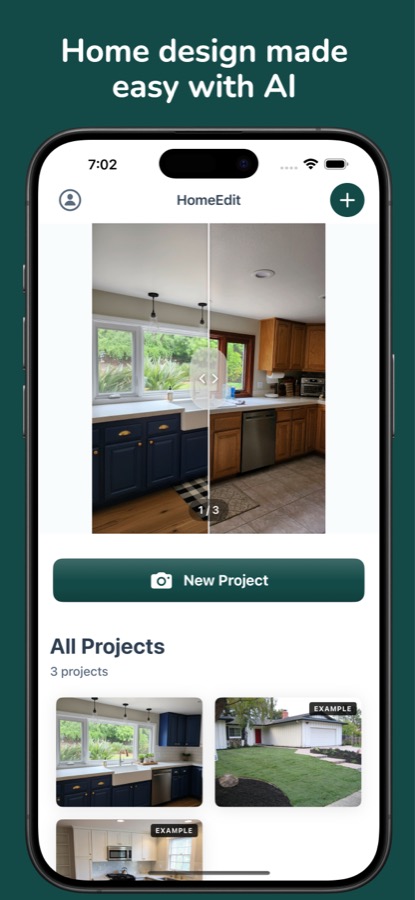
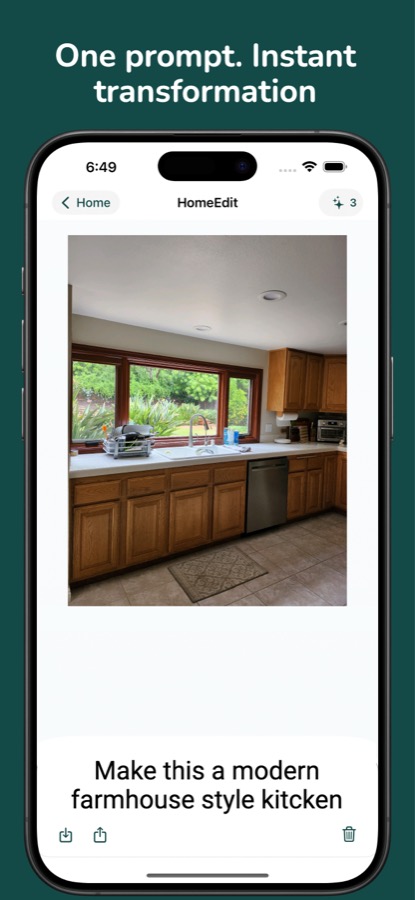
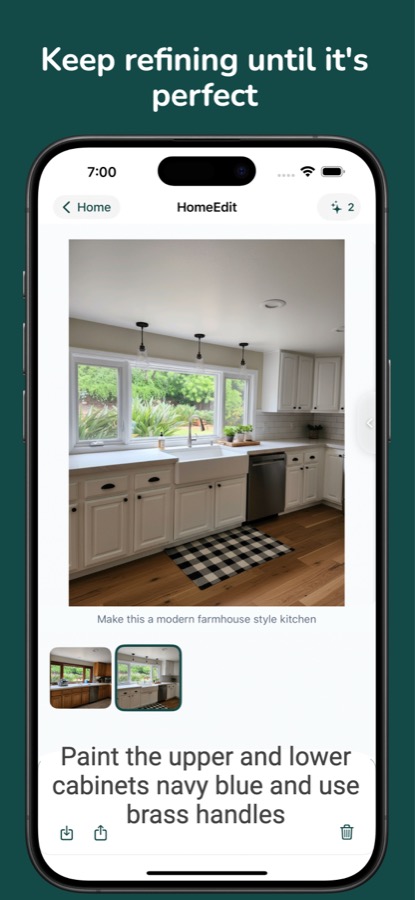
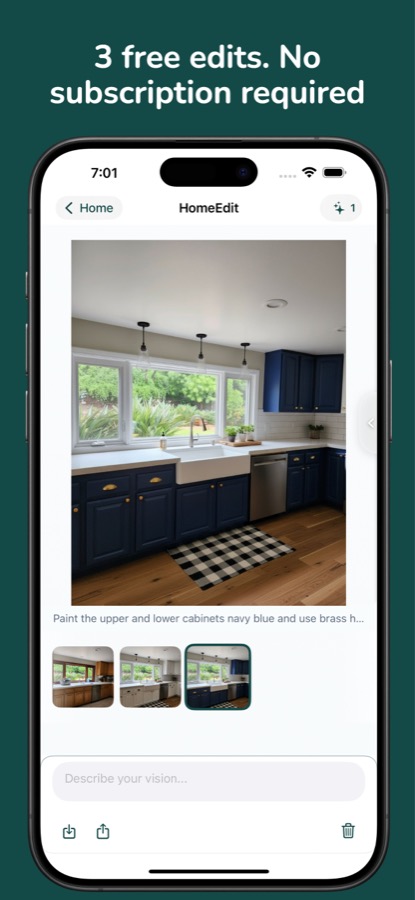
Just describe what you want. "Paint the walls sage green" or "add a modern sofa" - and watch your space transform in seconds.
Virtually stage empty rooms for listings
Test paint colors before committing
See how new pieces will look in your space
Explore different styles and aesthetics
No design skills required. Just describe what you want.
Type what you want to change in plain English. "Add a navy accent wall" or "replace the couch with a leather sectional" - HomeEdit understands context and delivers accurate results.
Our AI processes your photo and generates a transformed version in under 30 seconds. No waiting for renders or complex software to learn.
Not quite right? Keep refining with follow-up prompts. Each edit builds on the previous one, letting you perfect your design through conversation.
Three simple steps to transform your space
Snap a picture of any room you want to redesign, or choose one from your camera roll.
Type what you want to change - colors, furniture, style, lighting, or anything else.
Get your AI-generated result in seconds. Save, share, or keep iterating.
Start free, pay only for what you use
to get started
per transformation
Almost anything! Change wall colors, add or remove furniture, change flooring, adjust lighting, swap out decor, change architectural details, and more. If you can describe it, HomeEdit can attempt it.
Our AI produces high-quality results that maintain the perspective and lighting of your original photo. Results vary based on the complexity of the edit and image quality.
No! Once you purchase credits, they're yours to use whenever you want. There's no expiration date or time limit.
Your privacy matters. Photos are processed securely and are not used to train AI models. Edited images are stored locally on your device.
Yes! HomeEdit is great for virtual staging. Many real estate professionals use it to help buyers visualize potential in empty or outdated spaces.
Currently HomeEdit is available for iOS. We're exploring other platforms based on user demand.
Download HomeEdit free and get 3 transformations to try it out.
Download on the App Store